windows logo

Windows

Please follow the instructions below to create a plan.com configuration profile that gives you direct access to our data services.

Setting up your APN

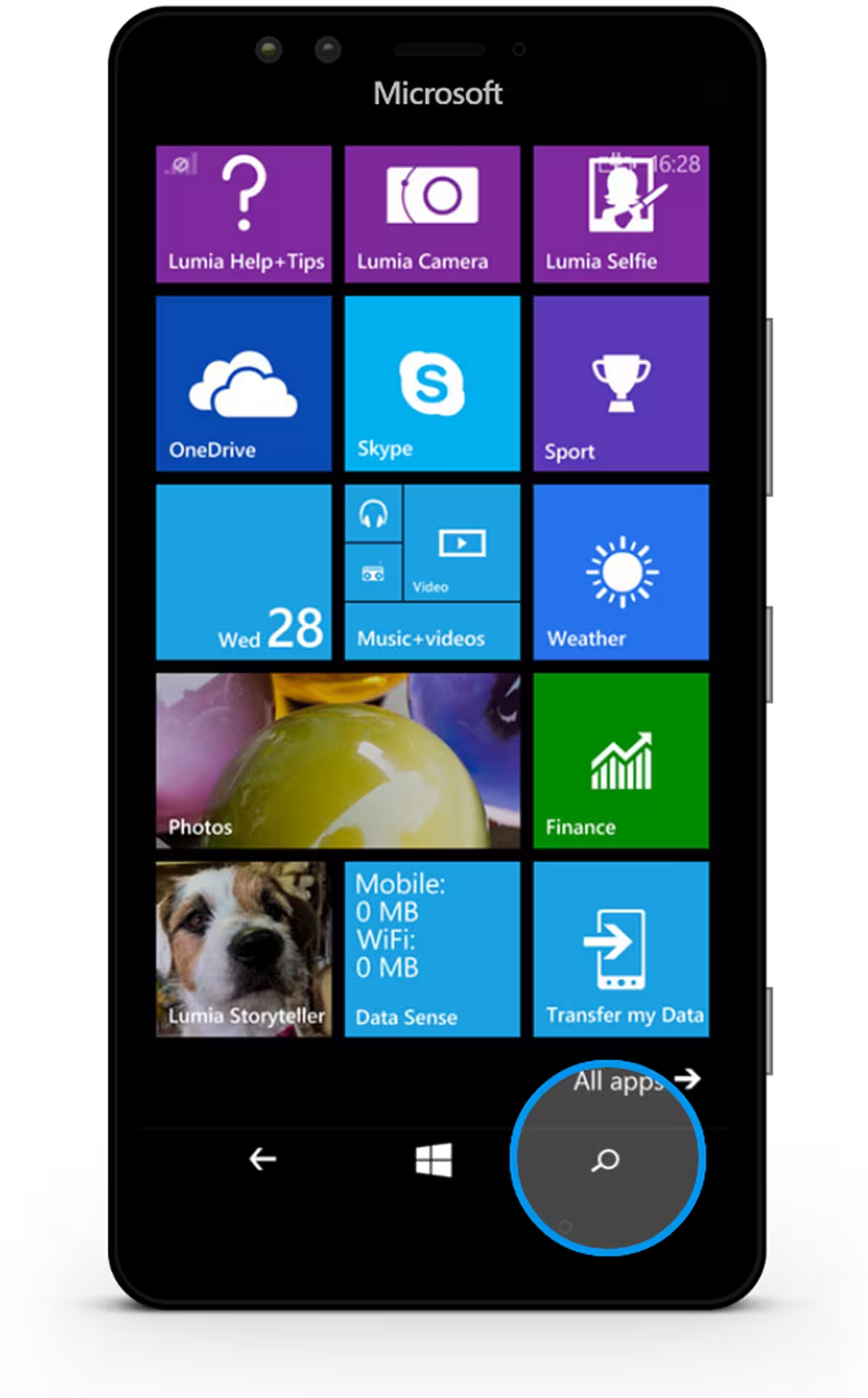
Step 01

Tap on the search button in the bottom right of your device screen

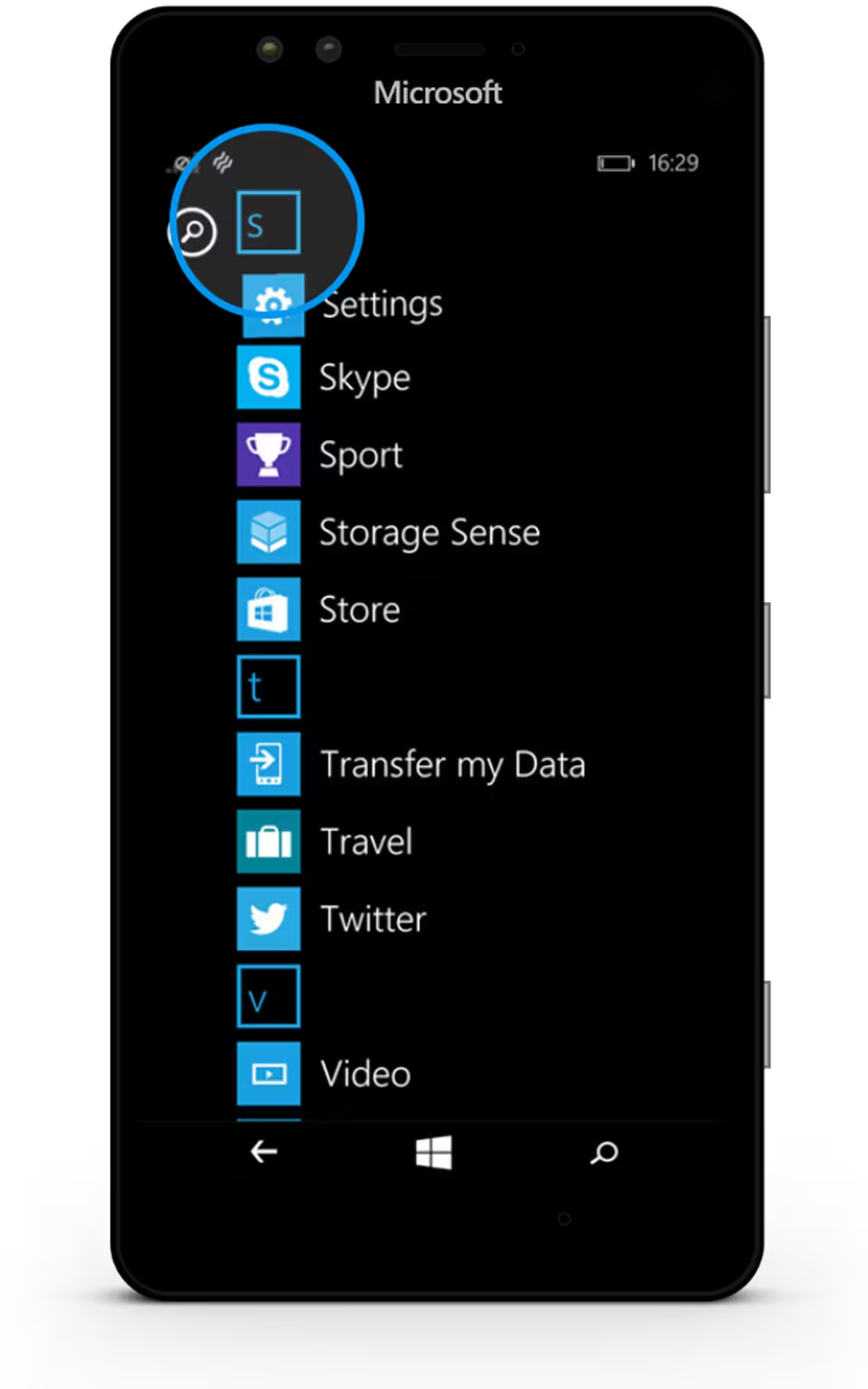
Step 02

Type an S to start filtering apps and tap on "Settings"

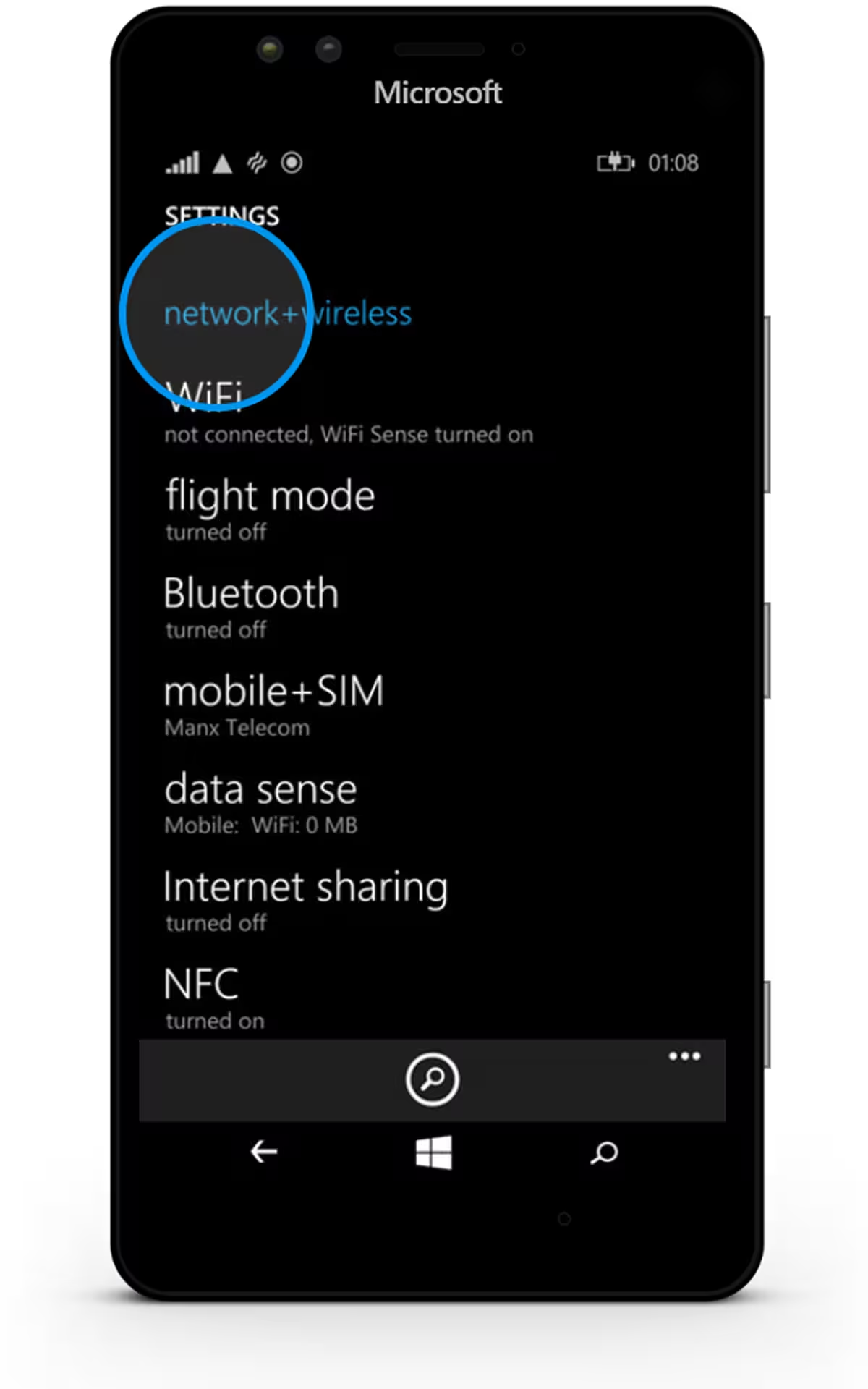
Step 03

Tap on "network + wireless"

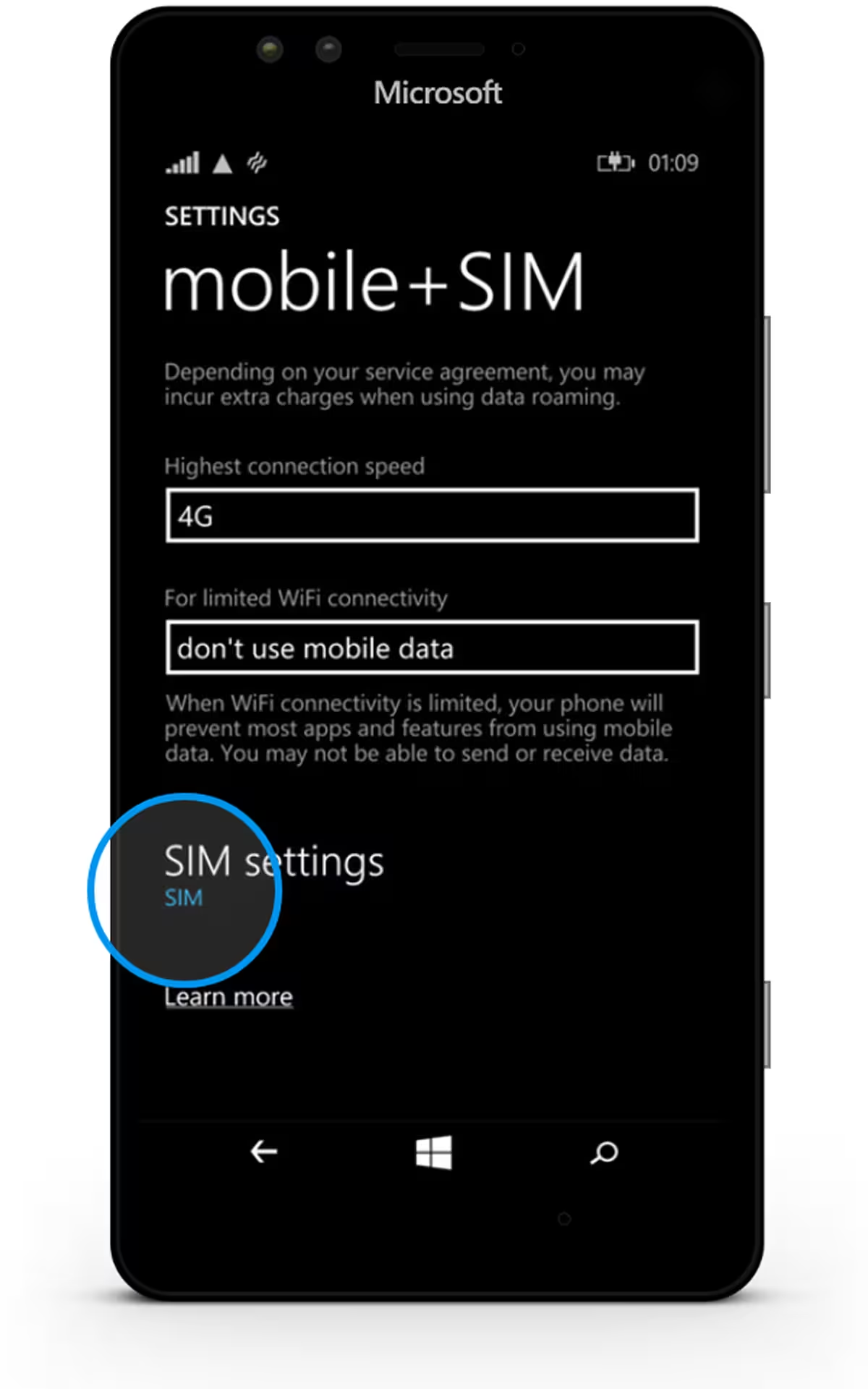
Step 04

Tap on "SIM", below SIM settings

Step 05

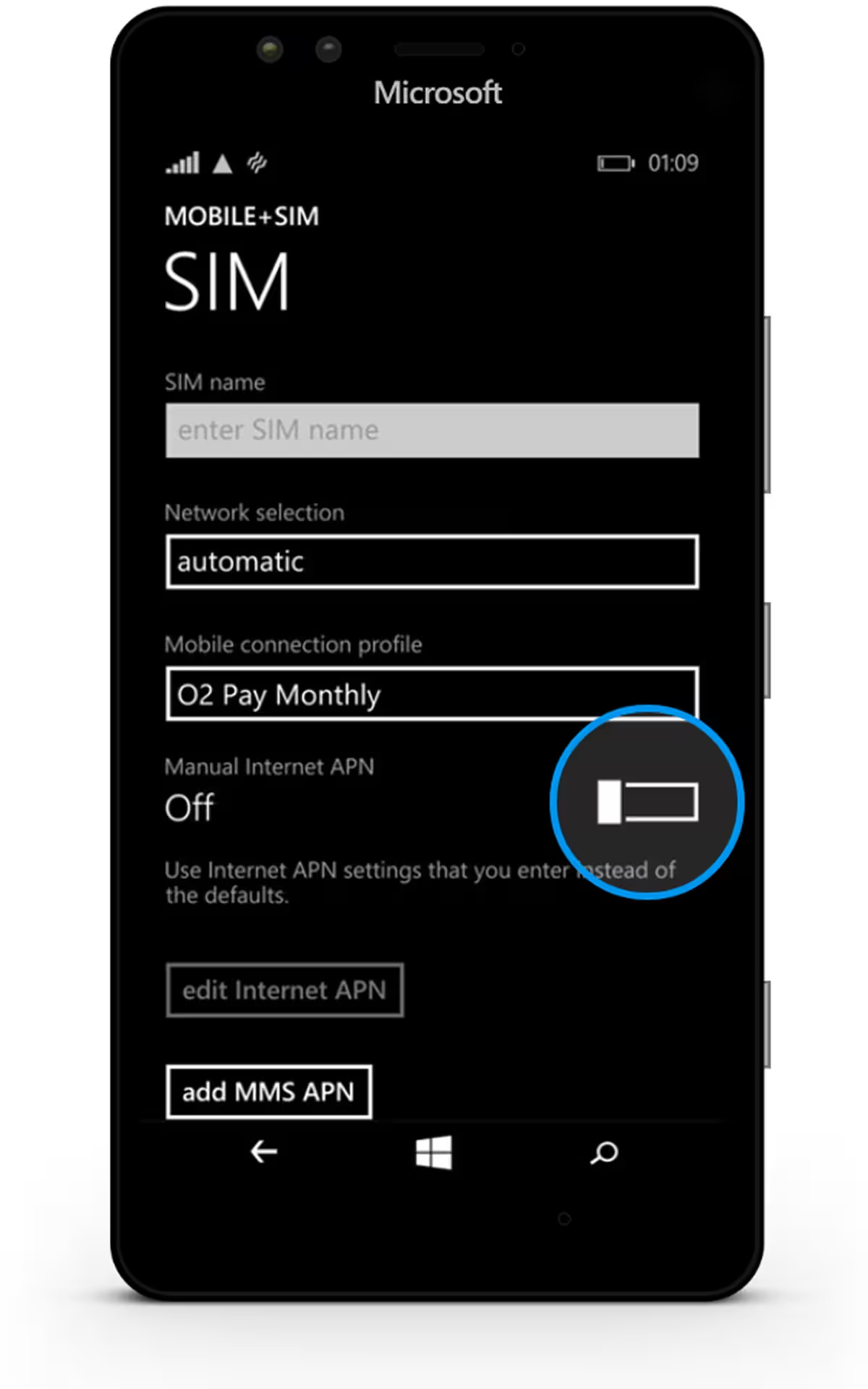
Tap on the switch button inside the "Manual Internet APN" section

Step 06

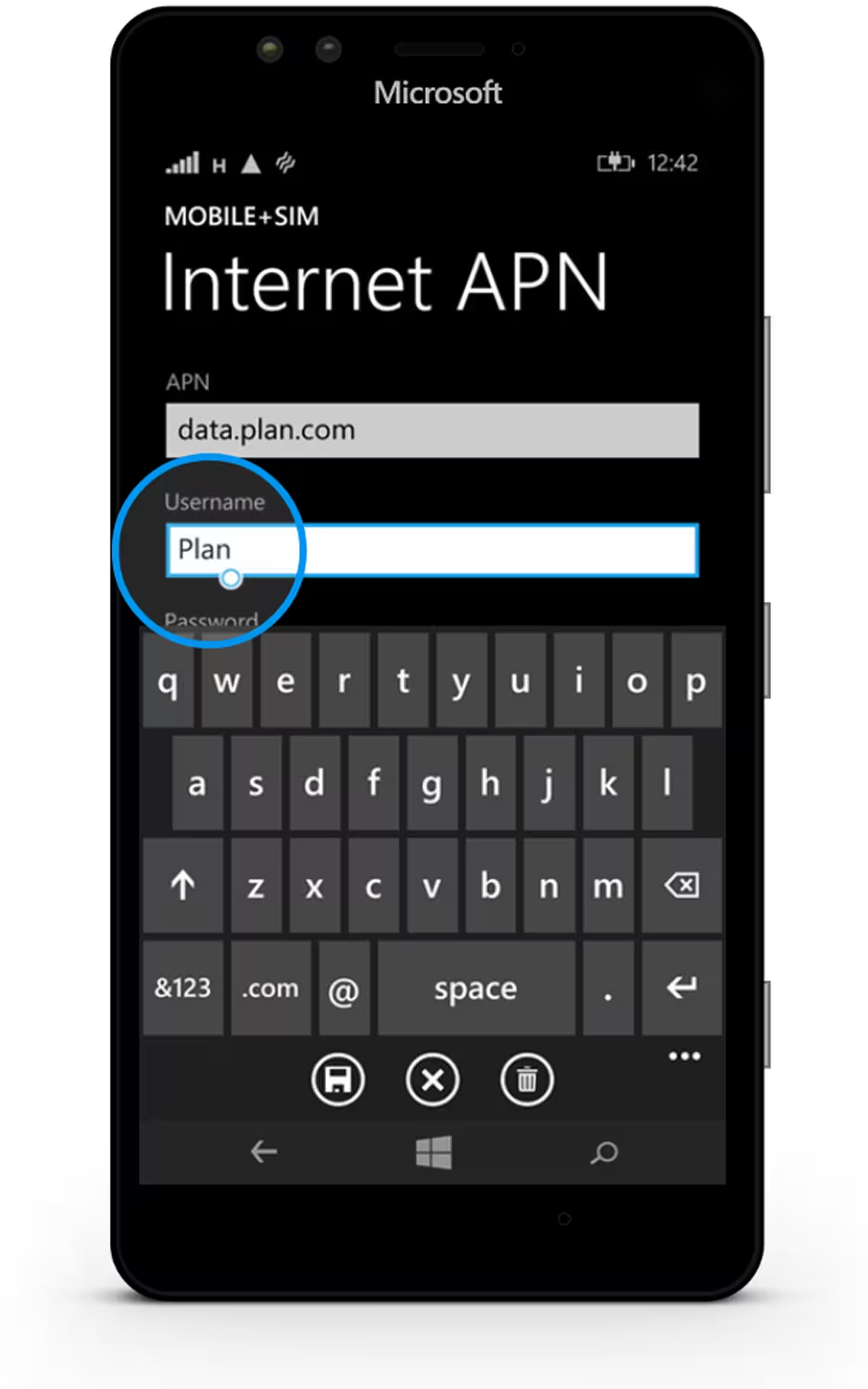
Type the following under APN and Username

Step 07

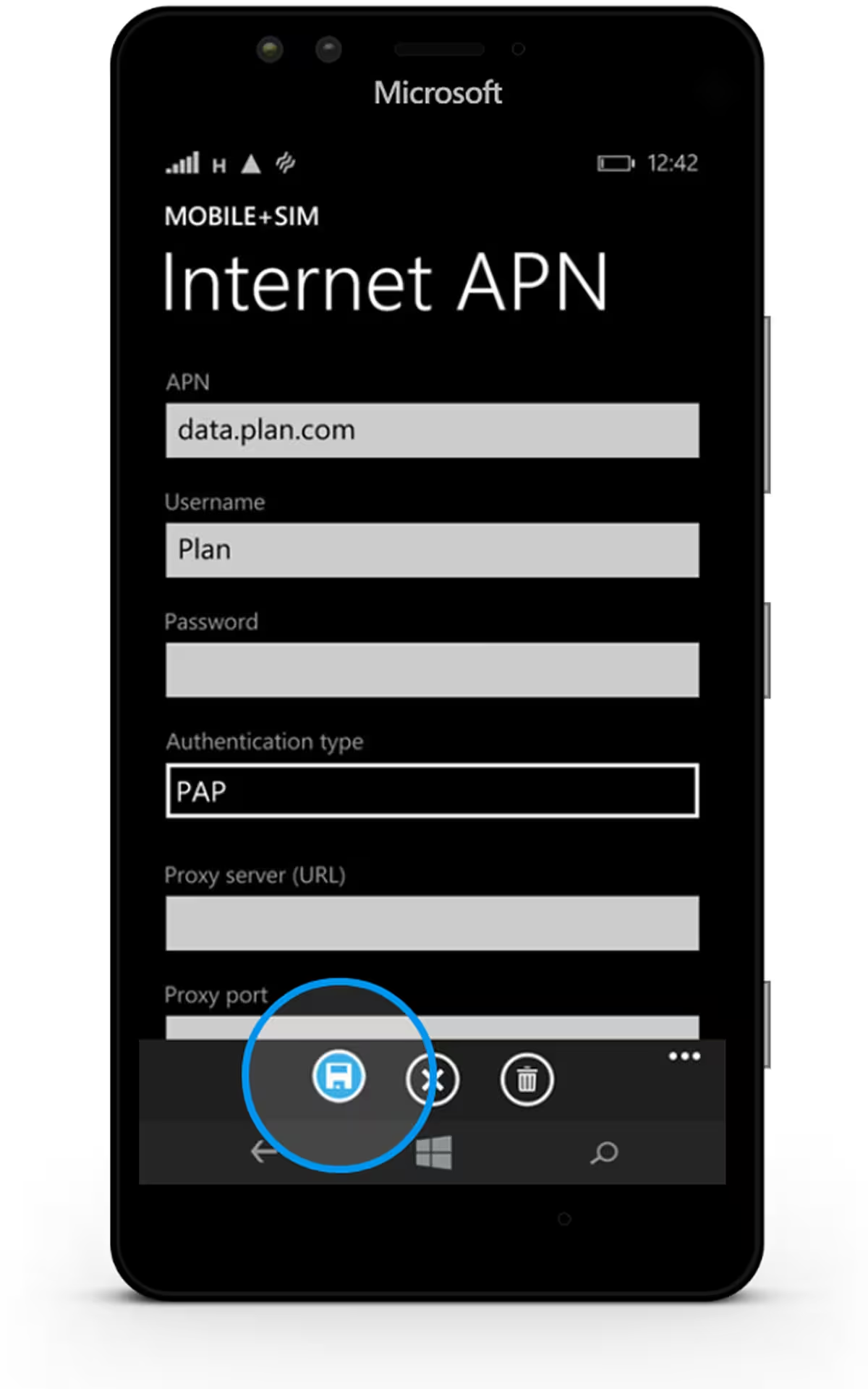
Tap on the disk at the bottom to save the settings

1 / 16

talk to us

Experience how our powerful platform can transform your business.