Let’s get your device up & running
Welcome to plan.com, we need to make sure your settings are up to date so your device has everything it needs to connect to mobile data and work as you’d expect!
Choose one of the following options below to get started:
.avif)
Setting up your device.
Simply select your device and follow the step-by-step instructions.

iOS

iOS eSIM

Android

Windows

Huawei Dongle
Can’t find your device?
If your operating system is not listed, you can update your settings manually as follows:
Step 01
Go to your Settings
Step 02
Locate your Access Point Names (sometimes called Mobile Data Network or APN) Go to your Settings
Step 03
Edit the existing settings with the following details:
Step 04
Save changes then restart your device
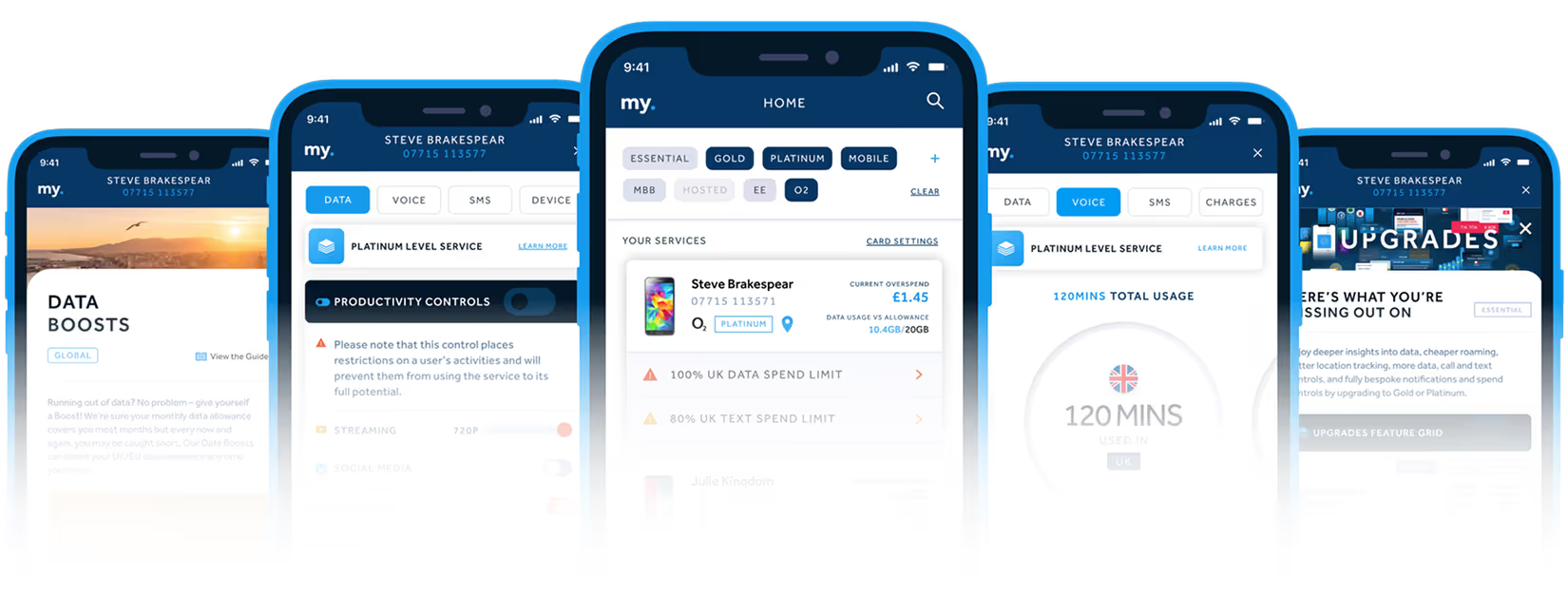
Discover my.plan
As a plan.com customer you will have exclusive access to my.plan, the ultimate connectivity platform.
Combining cutting-edge technology with an easy-to-use interface, my.plan gives you instant access to your account, and live insight into all your connections.
The power is in your hands.
The app that brings together everything you need to manage your business mobiles.